
From Idea to MVP in
10 Strategic Phases
AllSpark's builder guides you through a comprehensive Sprint Zero process: planning and structuring your entire application before writing a single line of code. AI-assisted at every step.
The AllSpark Builder Process
Follow these 10 phases to create a comprehensive plan for your application. Each phase builds on the previous, creating a complete blueprint for development.
Research & Discovery
Gather insights and understand your problem space. Upload research documents, market analysis, competitor reviews, and user feedback to inform your product strategy.
- • Upload and organize research documents
- • AI extracts key insights and themes
- • Identify market opportunities and gaps
- • Understand user needs and pain points
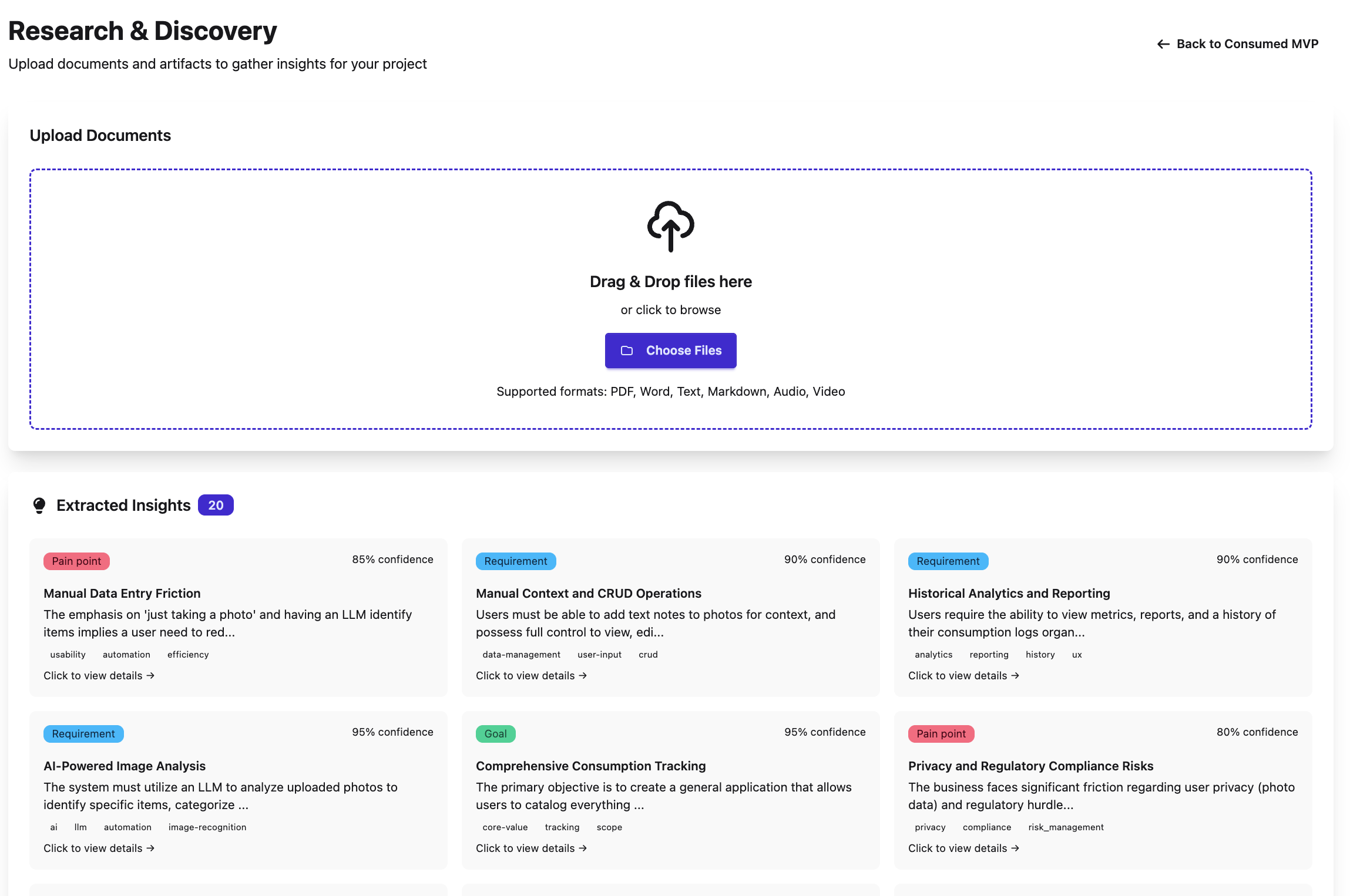
📄 Upload documents and let AI extract insights
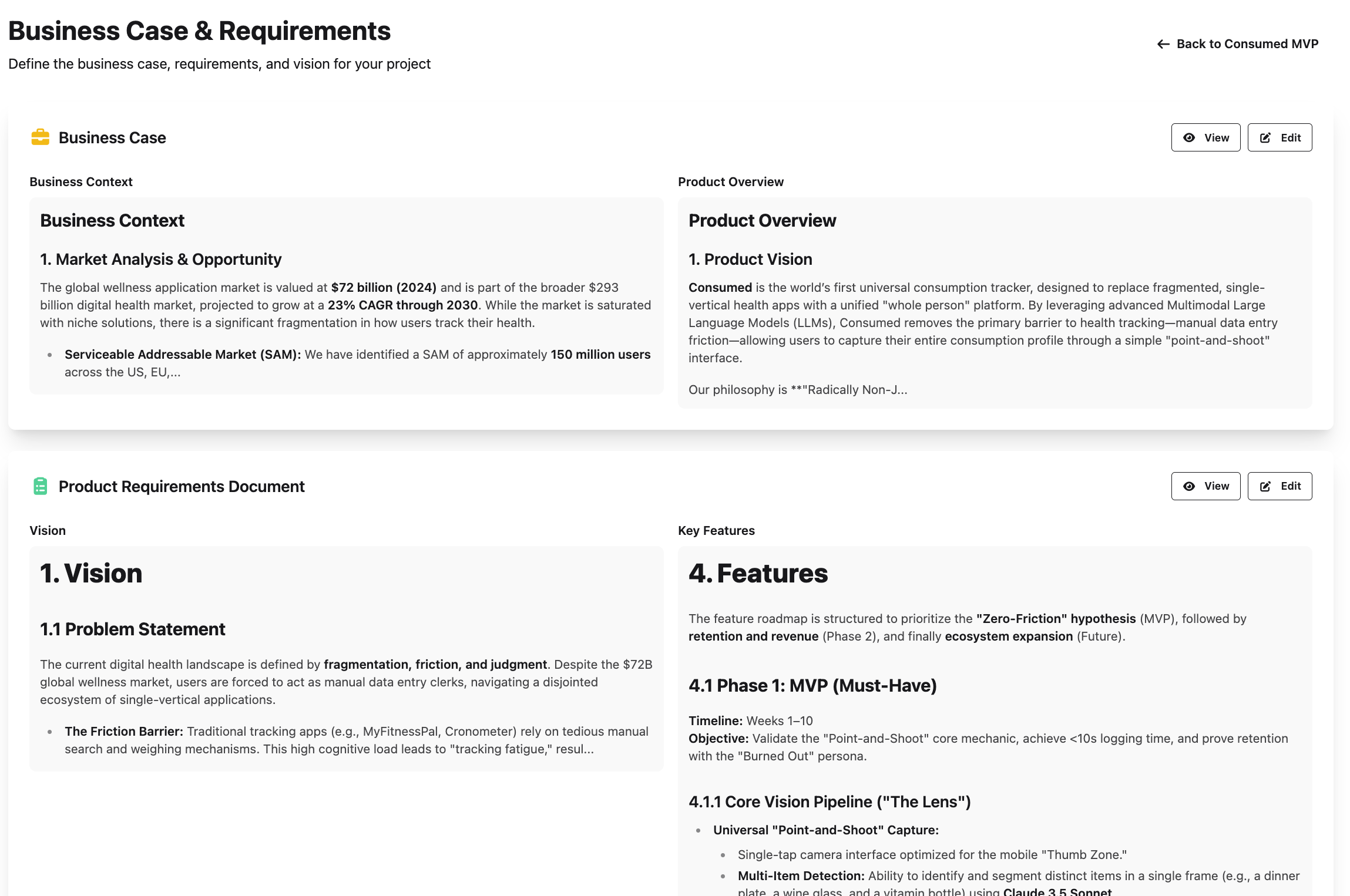
💡 Define your business case and product vision
Vision & Strategy
Define your business case and product vision. Articulate what you're building, who it's for, and how it creates value. Establish clear goals and success metrics.
- • Write your product vision statement
- • Define target audience and personas
- • Articulate value proposition
- • Set measurable success metrics
Style Guide & Branding
Define your brand's visual identity and design system. Choose colors, typography, and component styles that will be used consistently throughout your application.
- • Select color palette and themes
- • Define typography and spacing system
- • Choose DaisyUI theme or customize your own
- • Establish component design patterns
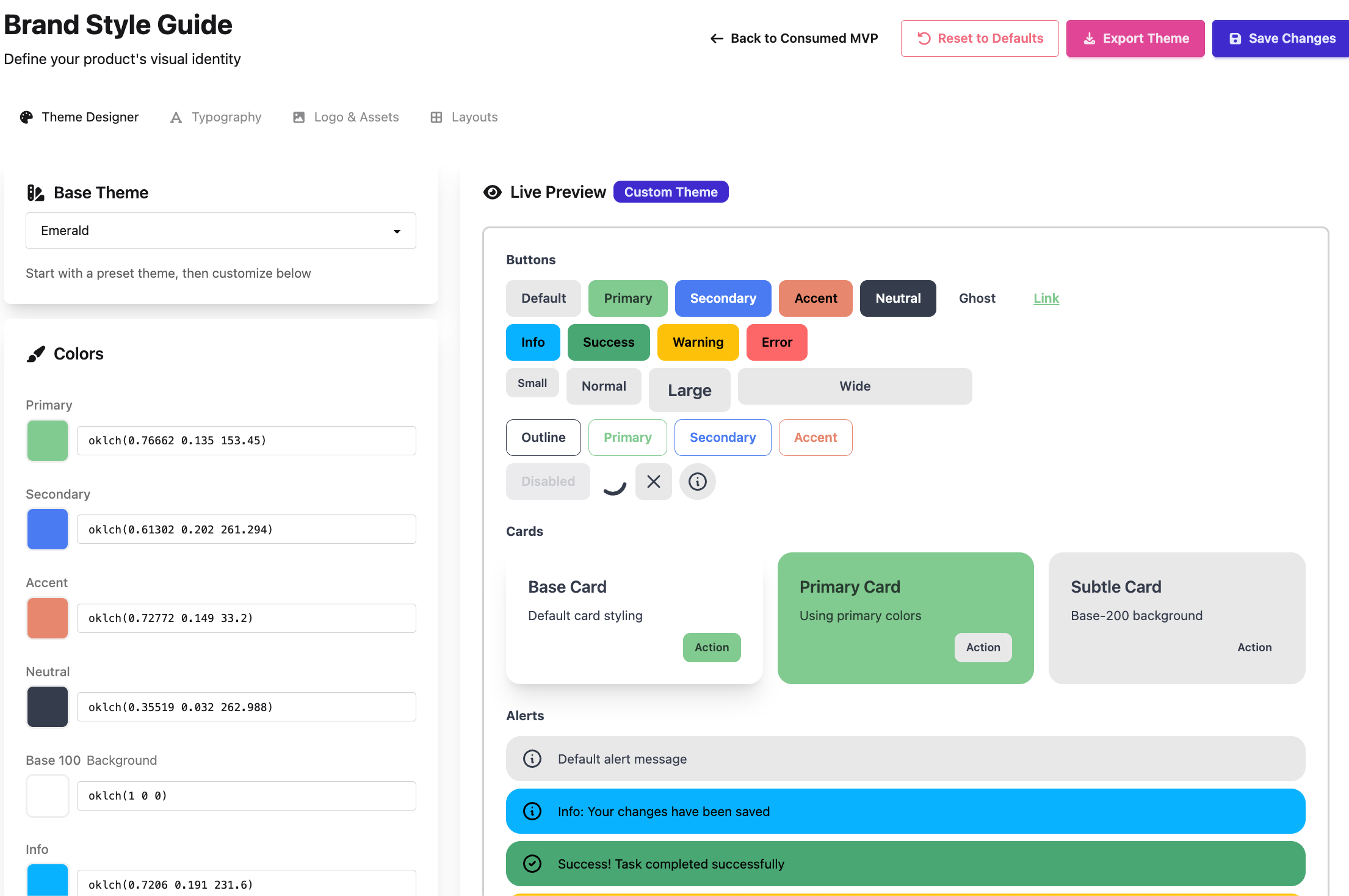
🎨 Define your visual identity and design system
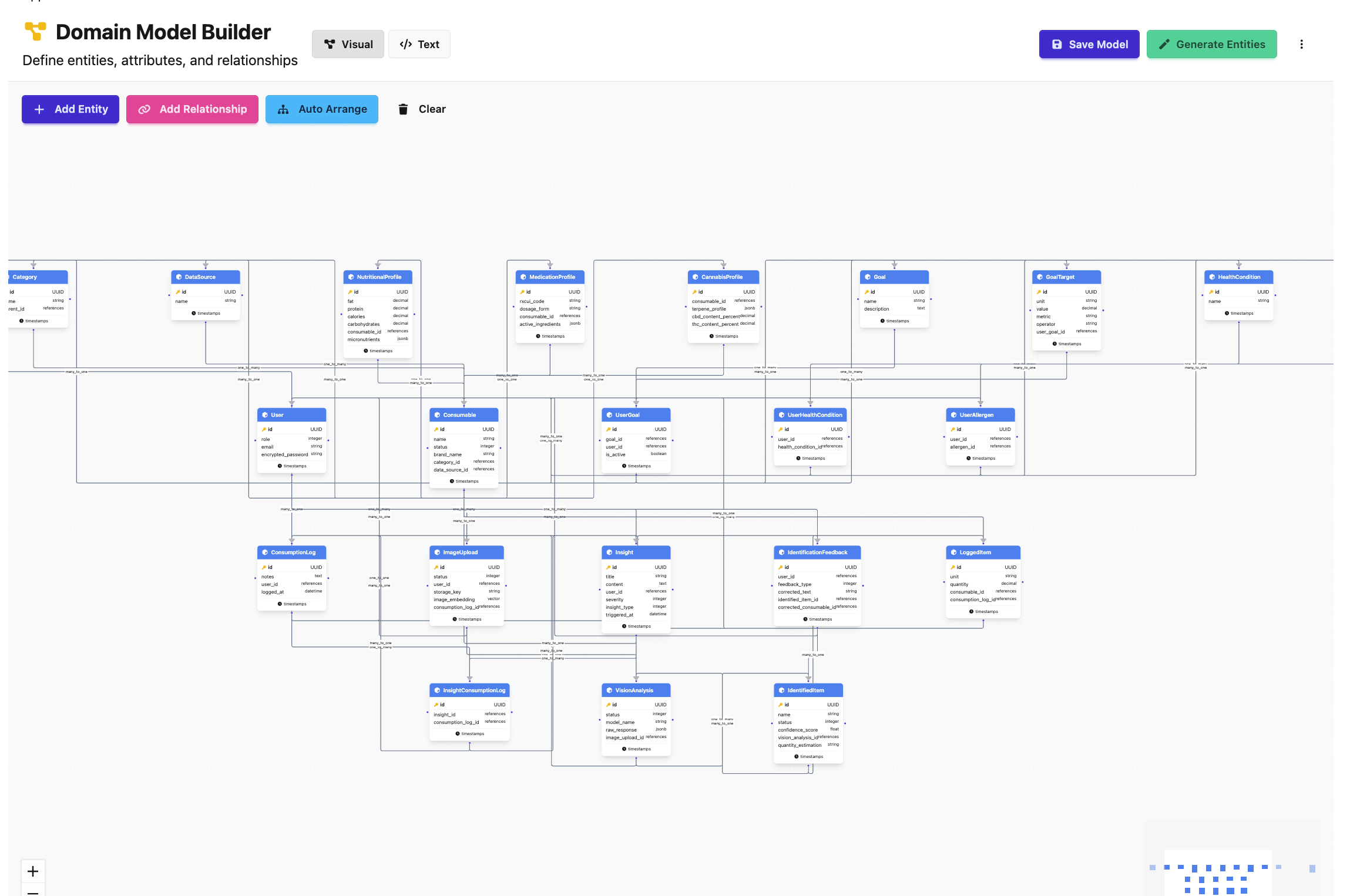
🗄️ Structure your application's data and relationships
Data Model
Structure your application's data and relationships. Define models, attributes, validations, and associations. AI suggests optimal database schema based on your requirements.
- • Define models and their attributes
- • Map relationships (has_many, belongs_to)
- • Set validations and constraints
- • AI optimizes schema for performance
User Roles
Define who will use your application and what they can do. Establish roles, permissions, and access levels to ensure proper security and user experience.
- • Create user roles (admin, member, guest)
- • Define permissions per role
- • Set up role-based access control
- • Plan authentication requirements
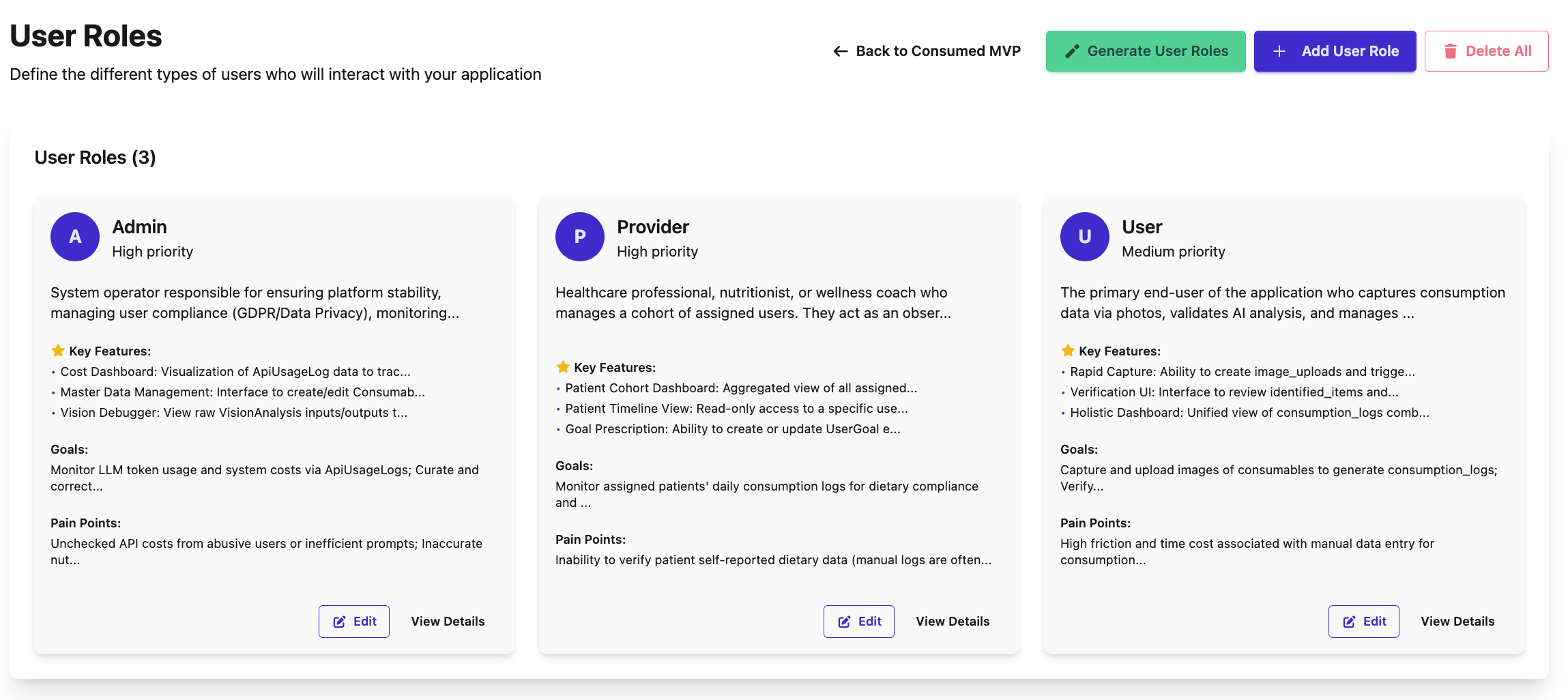
👥 Define who uses your app and their permissions
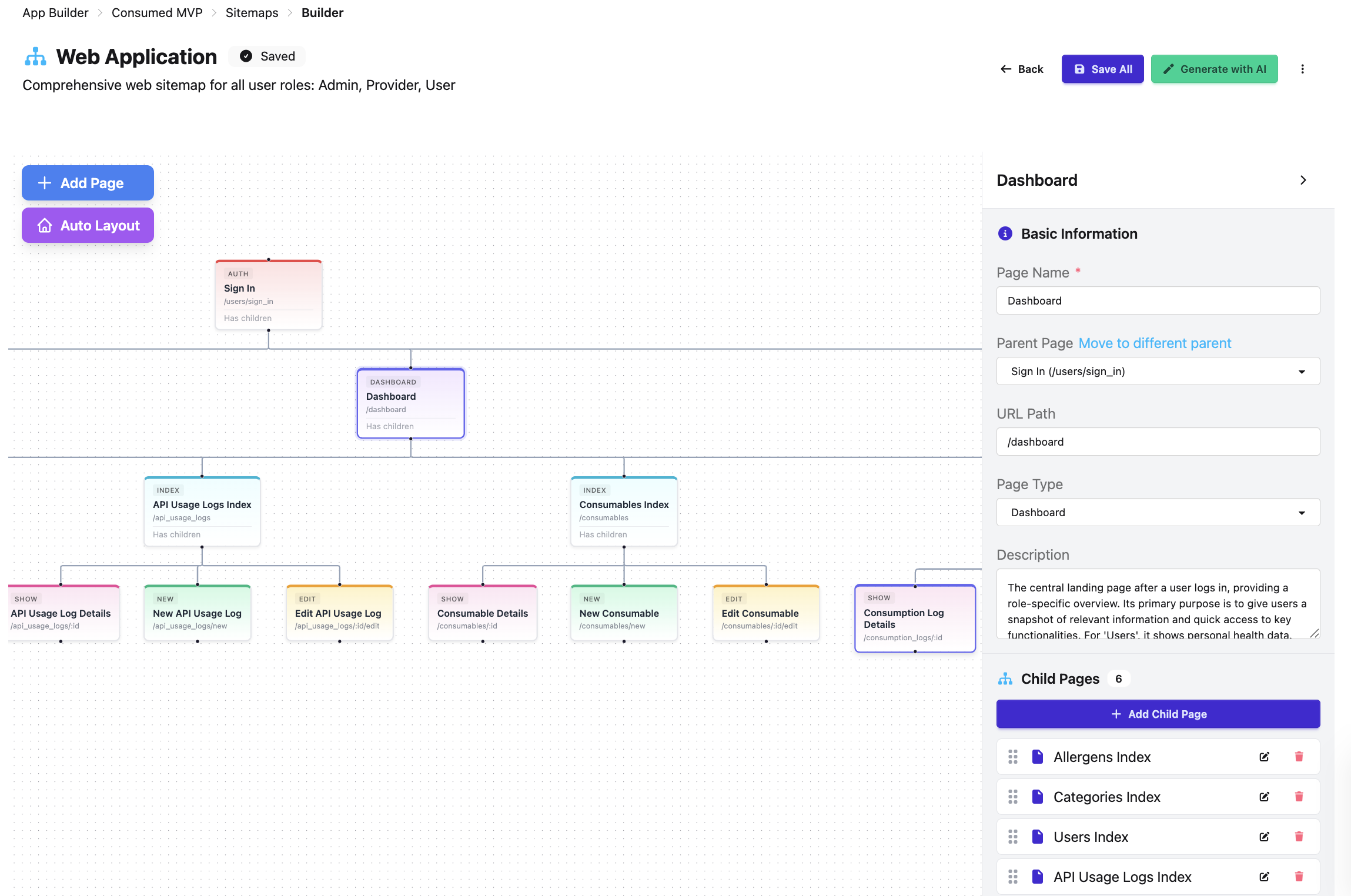
🏗️ Map your application structure and page hierarchy
Sitemap & Architecture
Define your application structure and page hierarchy. Map out all pages, their URLs, and how they connect. AI suggests optimal information architecture.
- • Create page hierarchy and navigation
- • Define routes and URL structure
- • Plan authentication requirements per page
- • Organize features into logical sections
User Journeys
Map out end-to-end user experiences. Document the complete flow users take to accomplish key tasks, from entry point to successful completion.
- • Define key user workflows and paths
- • Map touchpoints and interactions
- • Identify pain points and opportunities
- • Plan onboarding and success flows
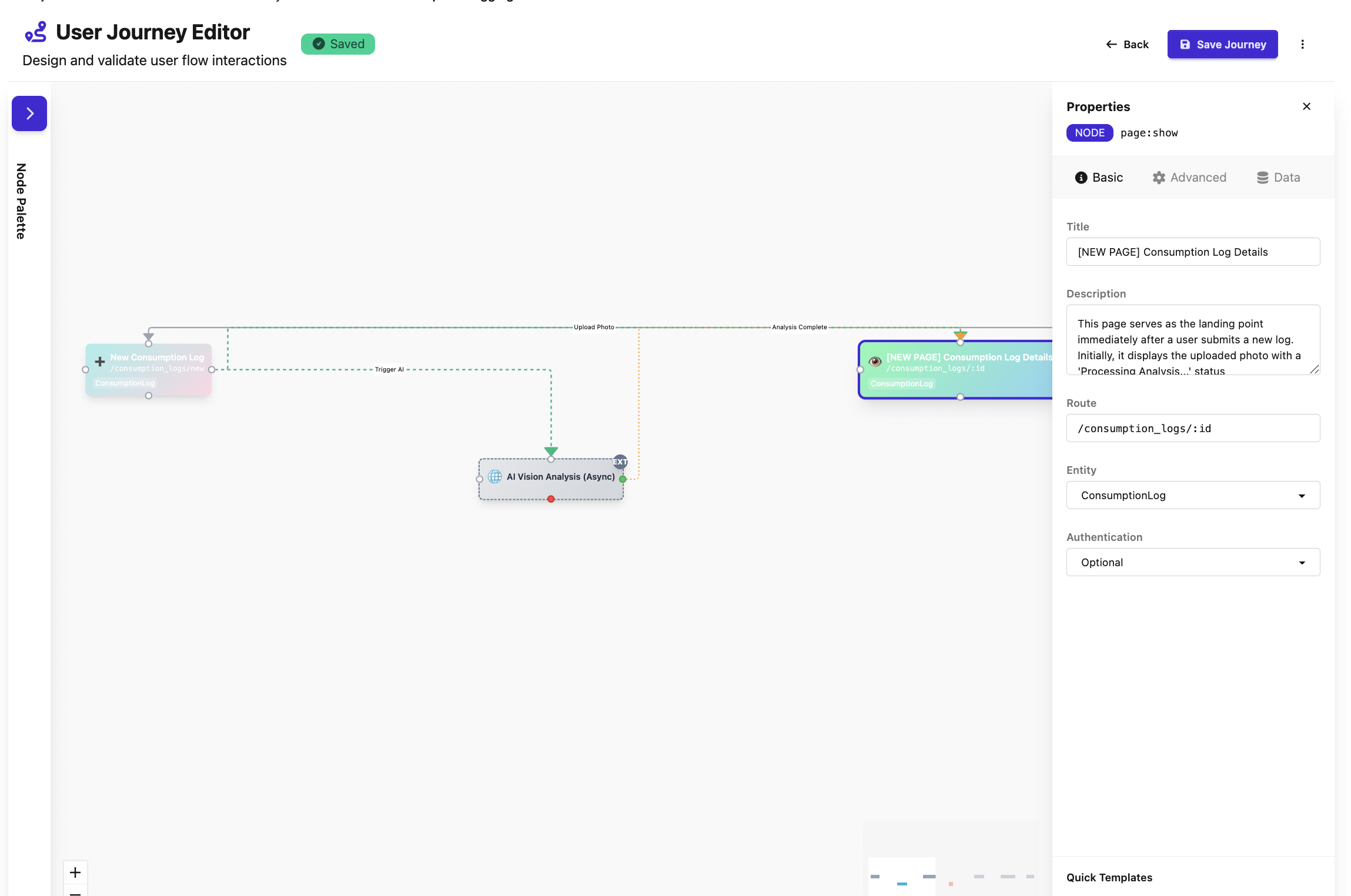
🗺️ Map end-to-end user experiences
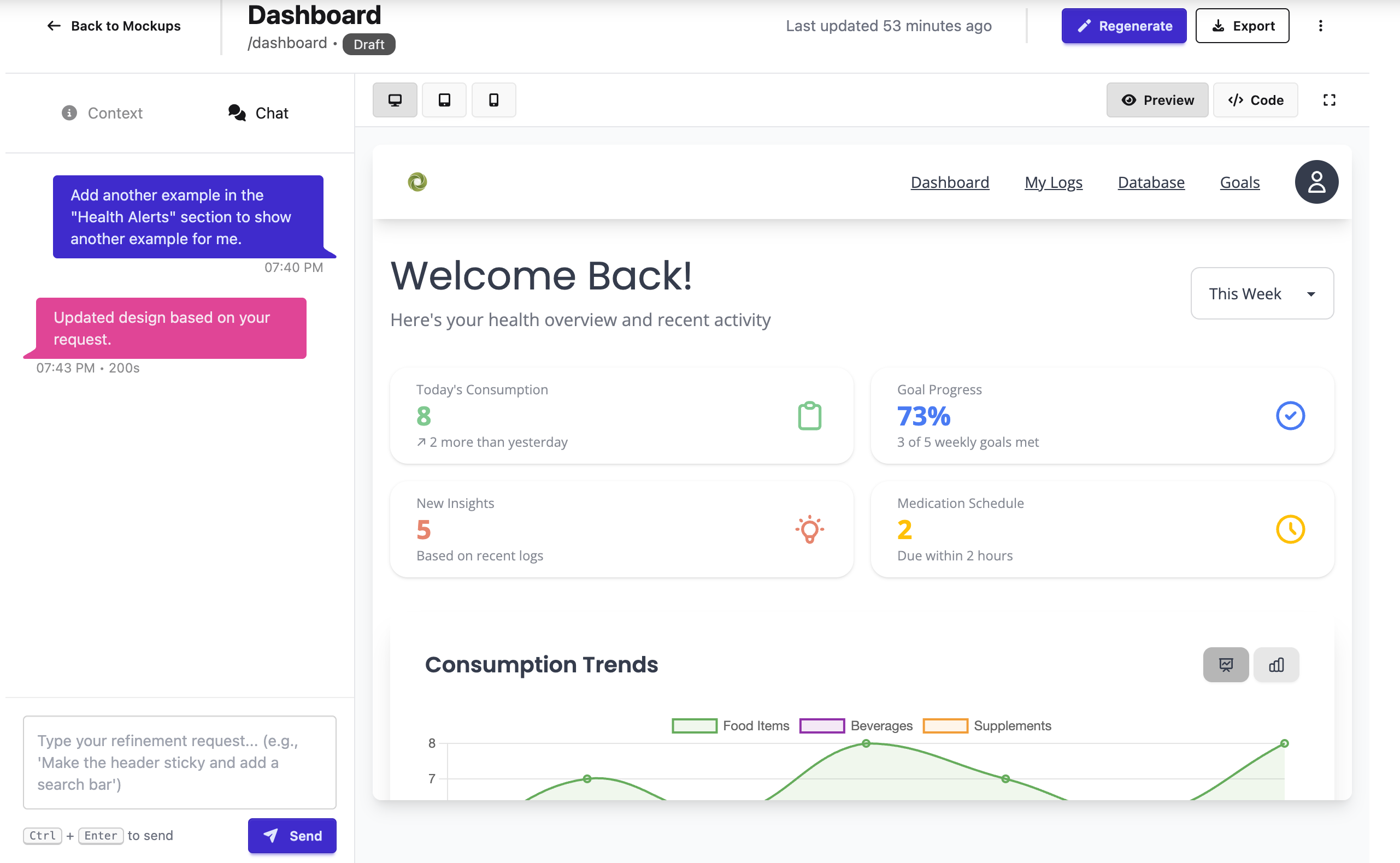
🖼️ Create wireframes and visual mockups
Screen Designs
Create wireframes and visual mockups for every page. Design the actual interfaces users will see and interact with, complete with layouts, components, and content.
- • Design wireframes for all pages
- • Create high-fidelity mockups
- • Define component layouts and styling
- • Plan responsive behavior for mobile
User Stories
Define features from the user's perspective. Break down functionality into actionable user stories with acceptance criteria, ready for development.
- • Write stories in "As a [role], I want [feature]" format
- • Define acceptance criteria for each story
- • Prioritize by business value
- • AI estimates complexity and dependencies
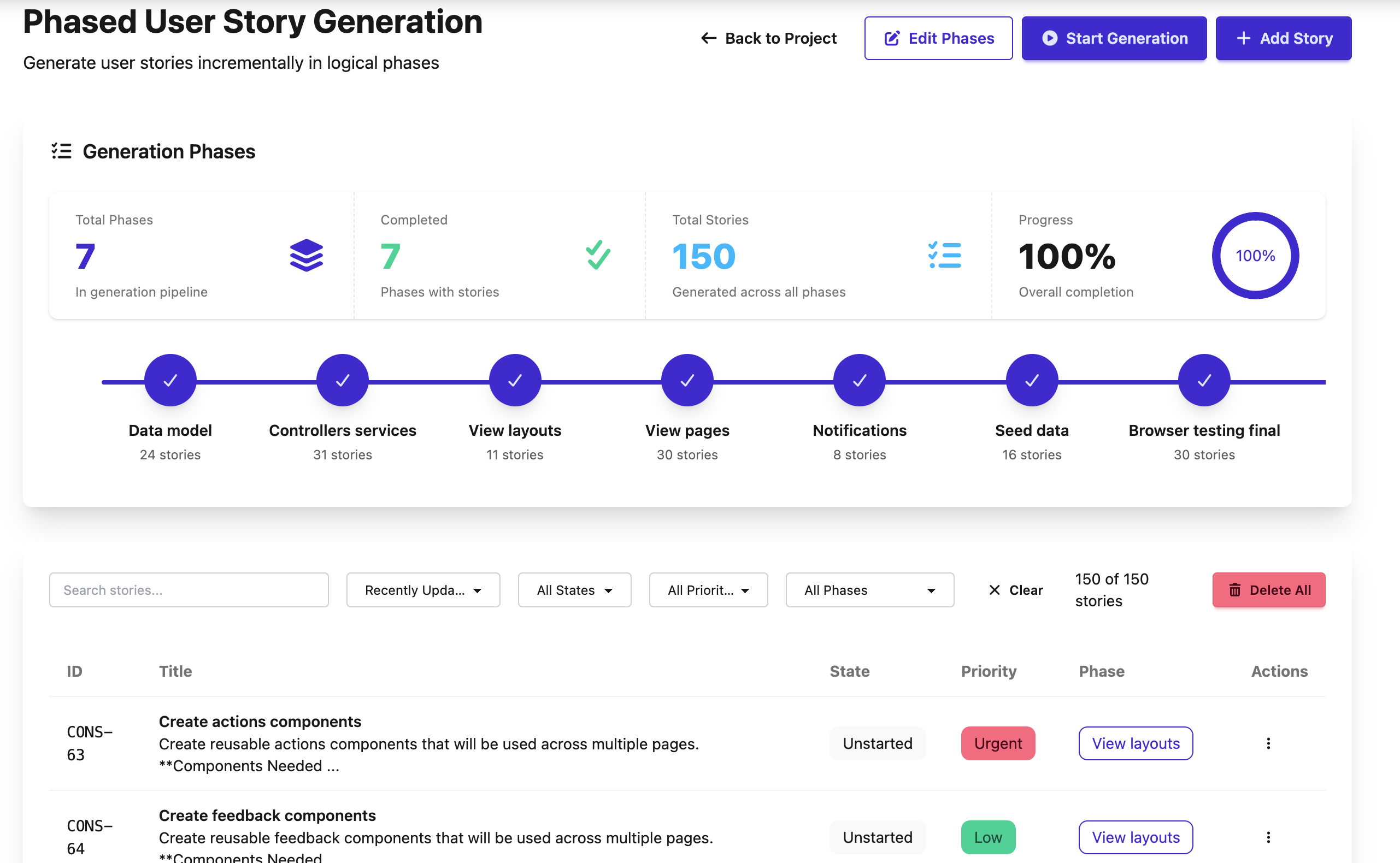
📋 Define features from the user's perspective

⚡ AI-powered coding sessions build your MVP
Build Sessions
Now the magic happens! AI-powered coding sessions implement your user stories. Claude works through your backlog, writing code, creating migrations, and building features with real-time assistance.
- • Start AI-guided development sessions
- • Implement user stories automatically
- • Generate models, controllers, and views
- • Track progress in real-time
Built with AllSpark
Real applications built using the Sprint Zero process. From initial research to production deployment, see what's possible in weeks, not months.
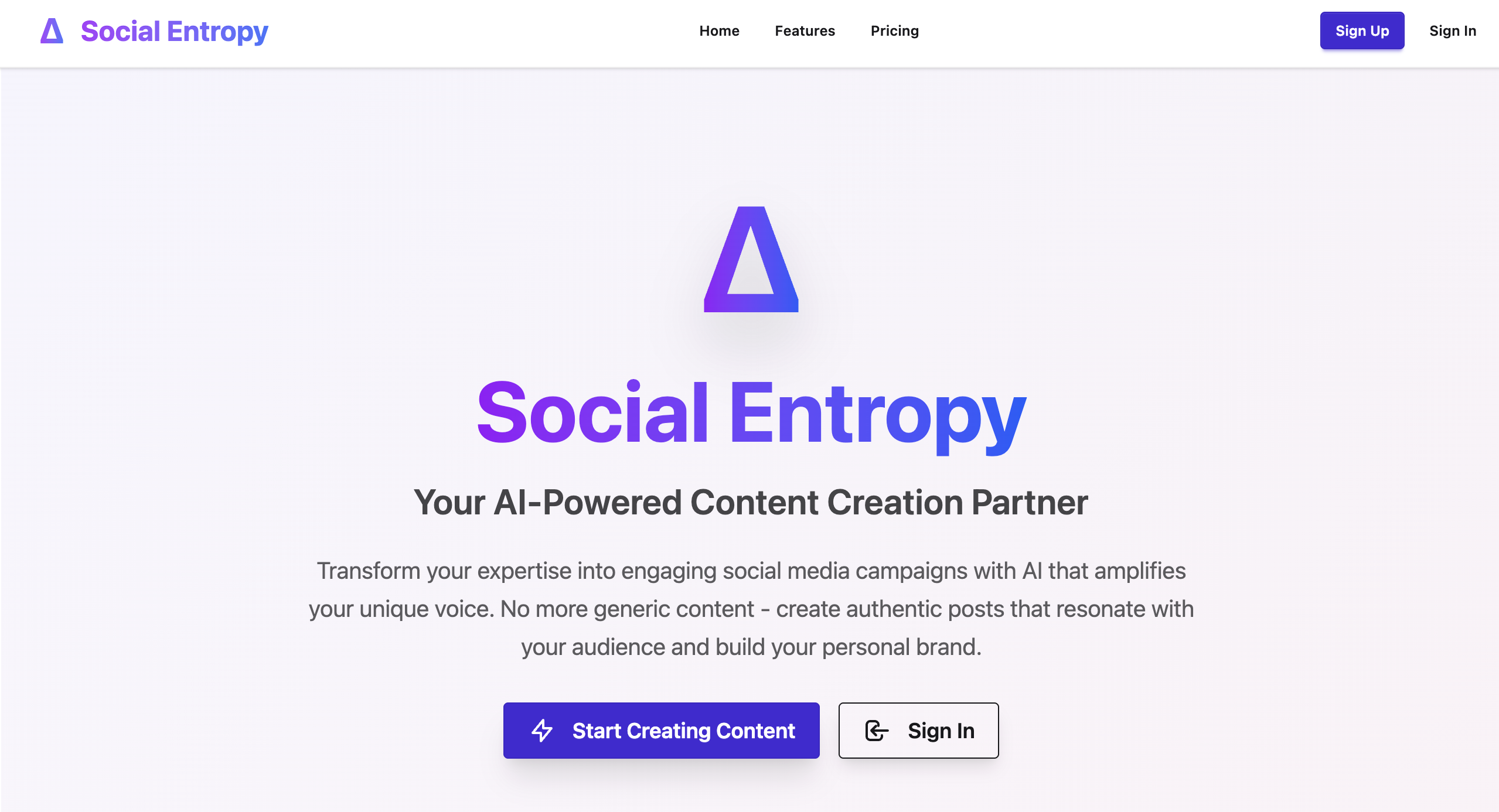
Social Entropy
Transform your expertise into engaging social media campaigns with AI that amplifies your unique voice. Built for small businesses and content creators.
Key Features:
- • AI Content Generation: Create authentic posts that resonate with your audience
- • Campaign Management: Plan and schedule multi-platform campaigns
- • Voice Training: AI learns your brand voice and expertise
- • Real-time Preview: See exactly how posts look before publishing
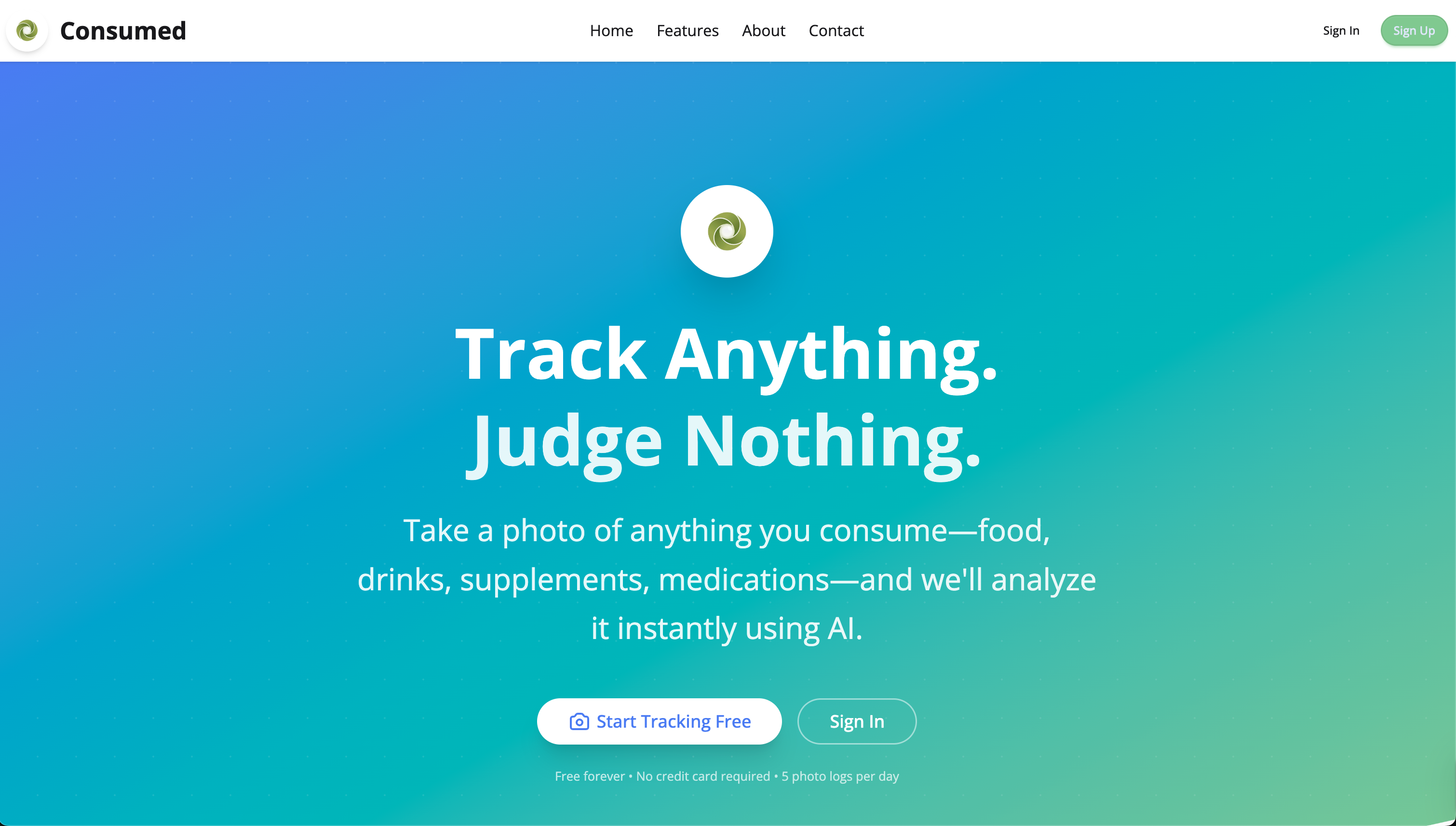
Consumed
Track anything you consume with AI-powered photo analysis. Takes under 30 seconds to log food, drinks, supplements, or medications. Zero judgment, just insights.
Capabilities:
- • AI Photo Recognition: Instant analysis using Gemini AI
- • Nutritional Insights: Automatic data extraction from photos
- • Comprehensive Tracking: Food, drinks, supplements, medications
- • Drug Interactions: Safety checking and pattern recognition
Ready to Build
Your MVP?
Start with Sprint Zero. Plan your application thoroughly, then let AI help you build it. Join design partners shipping products faster with AllSpark.
From idea to production. Structured. AI-assisted. Fast.